Preflight policy checks: stopping AI agents from running the dangerous command
AI coding agents that touch a shell will eventually try something destructive. Cost caps and task boundaries don't help once the rm -rf is already typed. The missing layer is a preflight policy check: classify the command before it runs, gate the dangerous classes behind a typed confirmation, and log everything for audit.
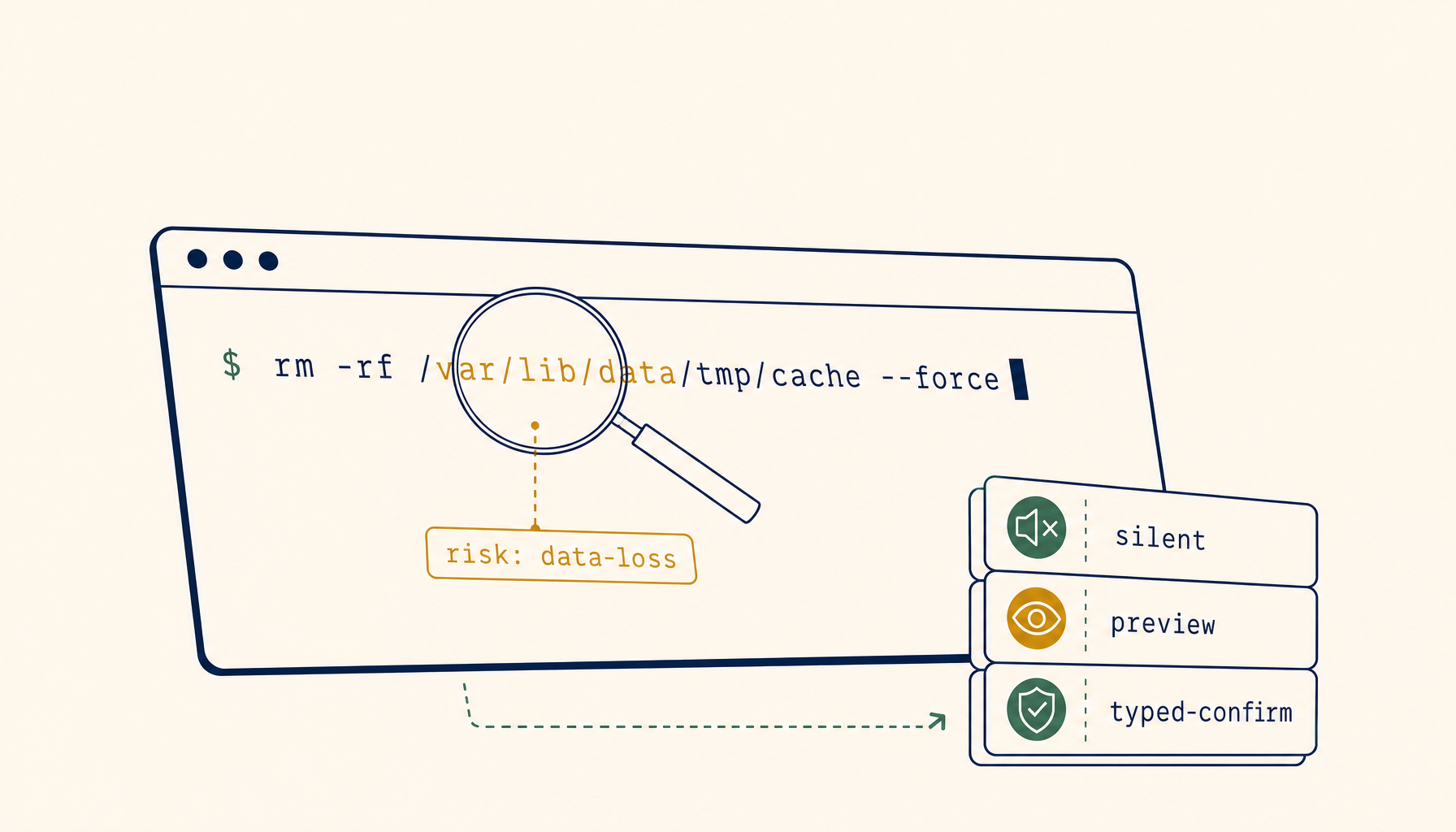
Cost caps stop runaway spend. Task boundaries stop scope creep. Both are well-understood by now. What teams keep getting bitten by is a different failure mode — the moment an AI coding agent decides, mid-task, that the right next step is to pipe rm -rf into a production-touching shell.
The complaint is consistent across r/cursor, r/ClaudeAI, and the Cody and Composer communities. The agent reasons capably about the code, then takes one shell action that costs an afternoon of recovery. The fix isn't a smarter model. It's a layer the IDE doesn't ship by default: a preflight policy check that classifies the command before it runs and gates the dangerous classes behind something more than a single Enter keystroke.
Why cost caps and task boundaries don't catch this
The two guardrails most teams already have in place solve different problems.
Cost caps stop the agent from burning through 800k tokens trying to understand a bug. They're a budget rail, not a safety rail. An agent that's well under its quota can still type git reset --hard origin/main against a branch with two days of uncommitted work.
Task boundaries — the four-line prompts that say "only edit files in src/billing/, do not run migrations, ask before touching the database" — constrain the scope of what the agent intends to do. They don't constrain what the shell actually executes when the agent decides its scoped intent now requires psql to drop a constraint.
The gap between intent and execution is where preflight policy lives. Cost caps watch the meter. Task boundaries watch the plan. Preflight watches the command string as it leaves the agent and before it reaches bash -c.
What a preflight policy actually classifies
A workable policy doesn't try to understand the semantics of every command. It classifies on shape, target, and side effect — three signals the agent runtime already has at the moment the command is composed.
- Shape — pattern-match the command against a small set of high-risk forms.
rm -rfwith any argument that resolves outside the workspace.git reset --hardagainst any branch other than the current.git push --forceagainst any protected branch.kubectl deleteagainst any non-dev context.DROP TABLE,TRUNCATE,DELETE FROMwithout aWHERE.curl ... | shand anywget ... | bashvariant.chmod 777,chown -R,sudoof anything not on an allowlist. - Target — resolve the command's effective target.
rm -rf $TMPDIR/buildis fine;rm -rf $HOMEis not. A migration script run againstlocalhost:5432is fine; the same script withDATABASE_URLpointed at the prod hostname is not. Targets are derived from environment variables, CLI flags, and working-directory context — all of which the agent runtime can see. - Side effect class — every risky command falls into one of four classes: data loss (destructive filesystem or DB), availability loss (process kill, container delete, service restart), security posture change (chmod, chown, key install, firewall rule), or external exposure (deploy, publish, push). A single command can sit in more than one class; the highest class wins.
Four classes is enough. More categories sound thorough and end up being ignored because nobody can remember which is which.
The three gates
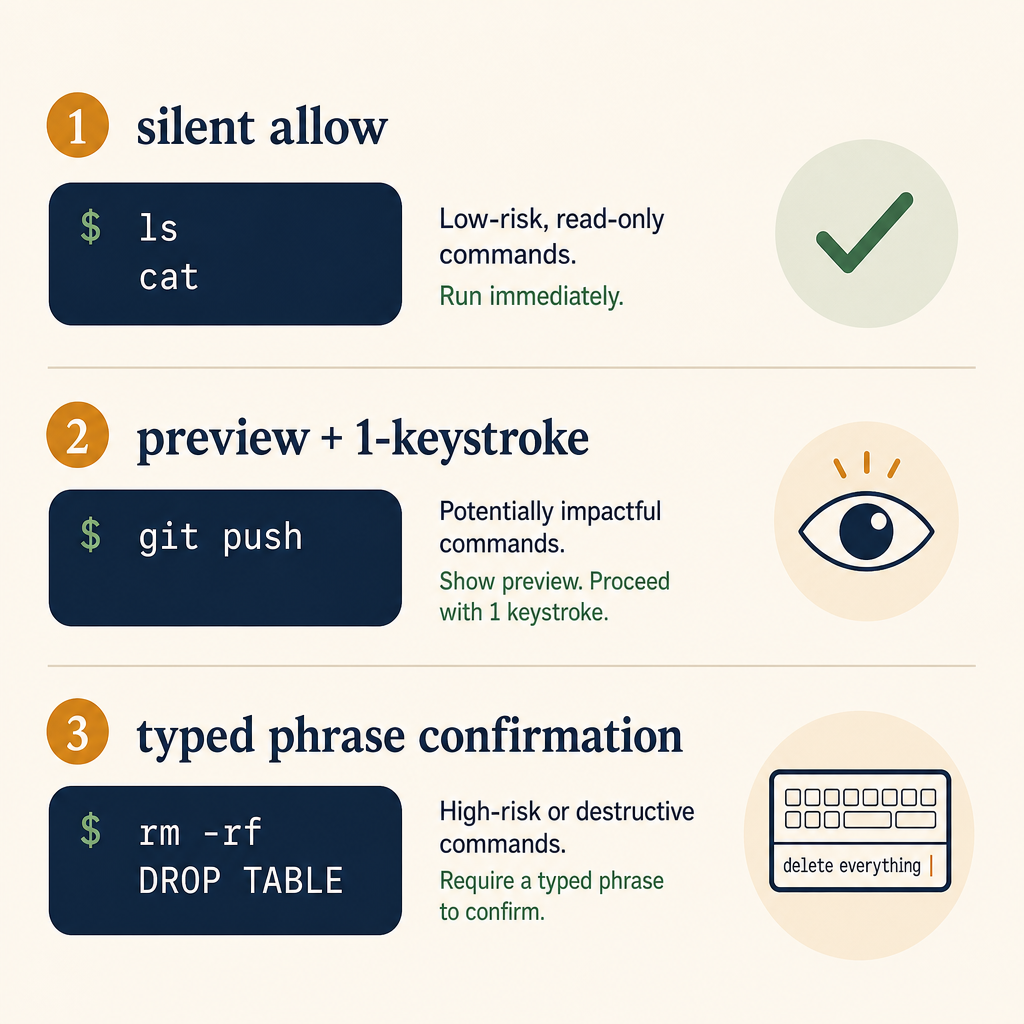
Once a command is classified, three different gates make sense at different policy levels.
Gate 1 — silent allow
The default for everything that doesn't match a risk pattern. ls, cat, grep, npm test, go build, cargo check, python -m pytest. The agent runs them, the human sees the output, no friction. If a policy makes the user approve ls, the policy stops being read.
This is the silent majority of agent actions. A working preflight policy admits this and stays out of the way.
Gate 2 — explicit allow with a single-line preview
For anything that mutates state inside the workspace but stays inside it: git commit, git push to a non-protected branch, npm install, cargo add, file writes outside the diff the agent already showed. The runtime shows the exact command on one line, the user hits Enter, the command runs. No nested confirmations, no "are you sure?" — one keystroke, one execution.
The value of Gate 2 isn't that the user reads the command. It's that the user is given a chance to read it, and the runtime can later show that they had that chance. Compliance teams care about this distinction more than developers do, but the design choice is the same: render the command, render the side-effect class, accept one confirmation.
Gate 3 — typed confirmation, in a separate phrase
For anything in data loss, security posture change, or external exposure to production: the user must type a short phrase, and that phrase must include something specific about the command. RUN-DESTRUCTIVE is one phrase a teammate types into a million sessions without reading. delete branch feature/auth-rewrite is a phrase the user can only type if they're paying attention to which branch.
This isn't UX hostility. It's the only friction that survives muscle memory. A click-through [OK] button gets clicked by reflex after the third time it appears in a session. A typed phrase that includes the target is the smallest interrupt that forces the human to register what's about to happen.
Four rules make Gate 3 work in practice:
- The phrase always names the target (the branch, the table, the file path, the cluster).
- The runtime never autocompletes the phrase. Tab-completion defeats the design.
- The user can cancel by hitting Enter on an empty line — the default is "don't do it."
- The phrase is logged in the audit trail next to the command. If a postmortem ever needs to know "did the human read this?", the typed phrase is the answer.
Where the policy lives
The policy doesn't belong in the agent's system prompt. Prompts drift between model versions, get summarised by context windows, and can be talked around by a sufficiently confident model.
It belongs in the runtime — the layer between the agent's tool call and the shell. Concretely, in three places:
- A policy file in the repo (
.agent-policy.ymlor similar), version-controlled, reviewed like any other config. Patterns and targets per class. - A runtime classifier that reads the policy file once at session start, then evaluates every outgoing command. Pattern match first (fast), then target resolution (slower, but only for shape-matches).
- An audit log that records every Gate 2 and Gate 3 event — command, classified class, user response, timestamp. This is the file you'll want during the postmortem.
The IDE / agent host is responsible for rendering the gate UI. The policy file is responsible for which patterns trip it. The audit log is responsible for forensic recovery.
What a minimum viable policy looks like
A team adopting this for the first time does not need 300 rules. A starting policy of nine patterns covers most of the real-world incidents we see in the wild:
# .agent-policy.yml
preflight:
  data_loss:
    - pattern: '\brm -rf\b'
      target_outside_workspace: gate3
      target_inside_workspace: gate2
    - pattern: '\bgit reset --hard\b'
      gate: gate3
    - pattern: '\b(?:DROP|TRUNCATE)\s+TABLE\b'
      gate: gate3
    - pattern: '\bDELETE\s+FROM\b'
      requires_where_clause: true
      missing_where: gate3
  availability_loss:
    - pattern: '\bkubectl\s+delete\b'
      contexts_other_than_dev: gate3
    - pattern: '\bdocker\s+rm\s+-f\b'
      gate: gate2
  security_change:
    - pattern: '\bchmod\s+777\b'
      gate: gate3
    - pattern: '\bcurl\s+[^|]+\|\s*(?:sh|bash)\b'
      gate: gate3
  external_exposure:
    - pattern: '\bgit\s+push\s+--force\b'
      protected_branches: gate3
      other_branches: gate2
This is intentionally small. Big policy files are aspirational; nine patterns are the floor a team can ship by Friday. Expand it after the first real near-miss — the team's own incident is the most legible justification for adding a rule.
Why this hasn't already shipped in every IDE
It's not a hard system to build. It hasn't shipped because the three guardrails are at different layers, owned by different teams, and bought separately by users. Cost caps live in billing. Task boundaries live in the prompt. Preflight policy needs to live in the shell-execution layer, which most IDEs treat as a passthrough to child_process.spawn.
Making the passthrough opinionated changes the IDE's risk surface. If the runtime ever blocks a command incorrectly, the user loses trust. The incentive is to ship nothing and let the user write their own alias rm='rm -i'. That's not enough.
The teams who get this right will treat preflight the same way modern frameworks treat CSRF tokens: invisible until something dangerous happens, mandatory once it does, and impossible for the application code to opt out of. Until then, the burden falls on each team to script their own.
Where to start
If you're rolling your own today, three concrete moves get you most of the value with none of the over-engineering. The 1devtool terminal agent ships a version of this gate model out of the box — useful as a reference if you'd rather not hand-build the policy classifier yourself:
- Write the nine-pattern policy above as a wrapper script that intercepts your agent's shell tool. Block anything that matches Gate 3 unless a confirmation file is present in
/tmpwith a typed phrase from the last 30 seconds. - Log every blocked command to
~/.agent-audit.logwith classification, timestamp, and the user's response. Rotate weekly. - Add the policy file to your repo's
CODEOWNERSso it can't be modified without review. Agent-driven prompts can be coerced into editing config; CODEOWNERS reviews can't.
None of this requires a model upgrade. The shape of the gap — between intent and execution — won't be closed by a smarter agent. It'll be closed by a deterministic layer that watches every command and asks the right question, in the right way, at the right moment.