Portable AI Memory: Exporting Chats, Switching Accounts, and Preferences That Follow You
The AI memory problem is really a portability problem. Five real situations show why durable context must be exportable, account-independent, and continuous across tools.

Most people describe their AI problem as a memory problem. The assistant forgets the project, forgets the constraints, forgets the way you like answers written. But if you watch what people actually try to do about it, the real problem is narrower and more practical: portability. They want to move a conversation somewhere safer. They want to carry months of work from one account to another. They want preferences and history to follow them when they switch tools, switch jobs, or switch providers.
A chat history that only lives inside one vendor's mega-thread is not memory. It is a hostage. It looks like an asset right up until you need to export it, migrate it, or reuse it somewhere the vendor did not anticipate, at which point you discover it was never yours to move in the first place.
This post walks through five situations that keep surfacing, and what they reveal about how durable AI memory has to be built: exportable, account-independent, and continuous across tools rather than trapped in a single provider.
The source signals for this post include thread 1, thread 2, thread 3, thread 4, and thread 5.
When a conversation becomes an asset you can't move
The first pattern starts with a long-running chat that has quietly turned into something valuable. Months of reasoning, decisions, and half-finished threads now live inside a single provider's history. The person using it has two simultaneous reactions. One is operational: long conversations are genuinely hard to manage. You scroll forever to find the part where a decision was made, and there is no outline, no way to mark the three exchanges that actually mattered. The other is about trust: storing all of that thinking inside a big-tech account, indefinitely, on the vendor's terms, starts to feel like the wrong default.
The response that keeps appearing is a local-first approach. Back the conversations up to a place you control. Generate an outline so a thousand-message thread becomes navigable. Highlight the moments worth keeping. Export the whole thing to a portable format. The browser extension framing matters here because it sits where the conversation already happens, capturing ChatGPT or Gemini history without first routing it through yet another cloud service. The instinct is correct: if you cannot get your conversations out cleanly, you do not really own them, and an assistant that cannot hand back its own transcripts is a weak foundation to build a workflow on.
The account migration problem
The second situation is sharper because it has a deadline attached. Someone has done months of real work through an AI coding assistant on a personal account. Then a policy changes, or the org tightens up, and that work now needs to live under a company account instead. The natural question is simple: how do I move it? The natural answer, from inside most tools, is that you largely cannot. History is bound to the identity that created it.
This is where the portability gap stops being philosophical. The conversations, the accumulated context, the patterns the assistant learned about a specific codebase, are all pinned to an account that is about to become the wrong one to use. There is no clean export-and-reimport path that preserves the working context, only the option to start over and hope you remember the important decisions. Migration is the stress test for any memory system. If your AI history survives a job change, a policy change, or an account switch, it is yours. If it evaporates the moment the account does, it was always the vendor's.
Preferences that should follow you, not the session
The third pattern is smaller and more daily, which is exactly why it grinds people down. Every new session starts with the same throat-clearing. Here is my goal. Here is the tone I want. Do not pad the answer. Show the tradeoffs. Assume I already know the basics. People want to write these response preferences once and have them apply everywhere, instead of re-explaining themselves to a stateless tool that meets them as a stranger each morning.
The interesting part is that this is a portability problem in disguise. A preference is only useful if it travels. If you can encode your preferences in one tool but they do not follow you into the next client you open, you have not saved any effort, you have just moved the restating from the start of a session to the start of a tool. Durable preferences are written in your own space and injected into whatever model you are talking to, so the rules about how you want to be answered are owned by you and applied consistently rather than re-entered by hand and forgotten the moment you switch windows.
When context decays inside one long thread
The fourth situation is the one with the highest stakes, and it is not about code at all. People run long, detailed personal conversations, including medical ones, where the whole value is in the accumulated detail. The early messages establish history, symptoms, timelines, prior advice. Then, as the thread grows, the assistant starts losing the thread. Earlier specifics get summarized away or fall out of the working context, and the answers drift toward generic because the model is no longer holding the details that made the conversation specific to begin with.
This is a structural limit, not a one-off bug. A single ever-growing thread is a bad container for context that must stay precise over time, because the important details compete with everything else for a finite window. The portable-memory answer is to treat the durable facts as records you keep and curate, separate from the chat surface, so the history is not at the mercy of how much a given thread can still hold. Context you actually depend on should be stored deliberately and reintroduced when relevant, not left to survive by luck inside an oversized transcript.

Memory that learns like a teammate
The fifth pattern is the most ambitious and points at where all of this is heading. A developer does not want a transcript archive. They want a memory layer that behaves like a teammate who has been around for a while: it knows the codebase conventions, remembers why the team chose one library over another, recalls the preferences that were settled months ago, and improves the longer it works alongside you. The point is continuity. A new hire who forgets every standard each morning is not much help, and neither is an assistant that does.
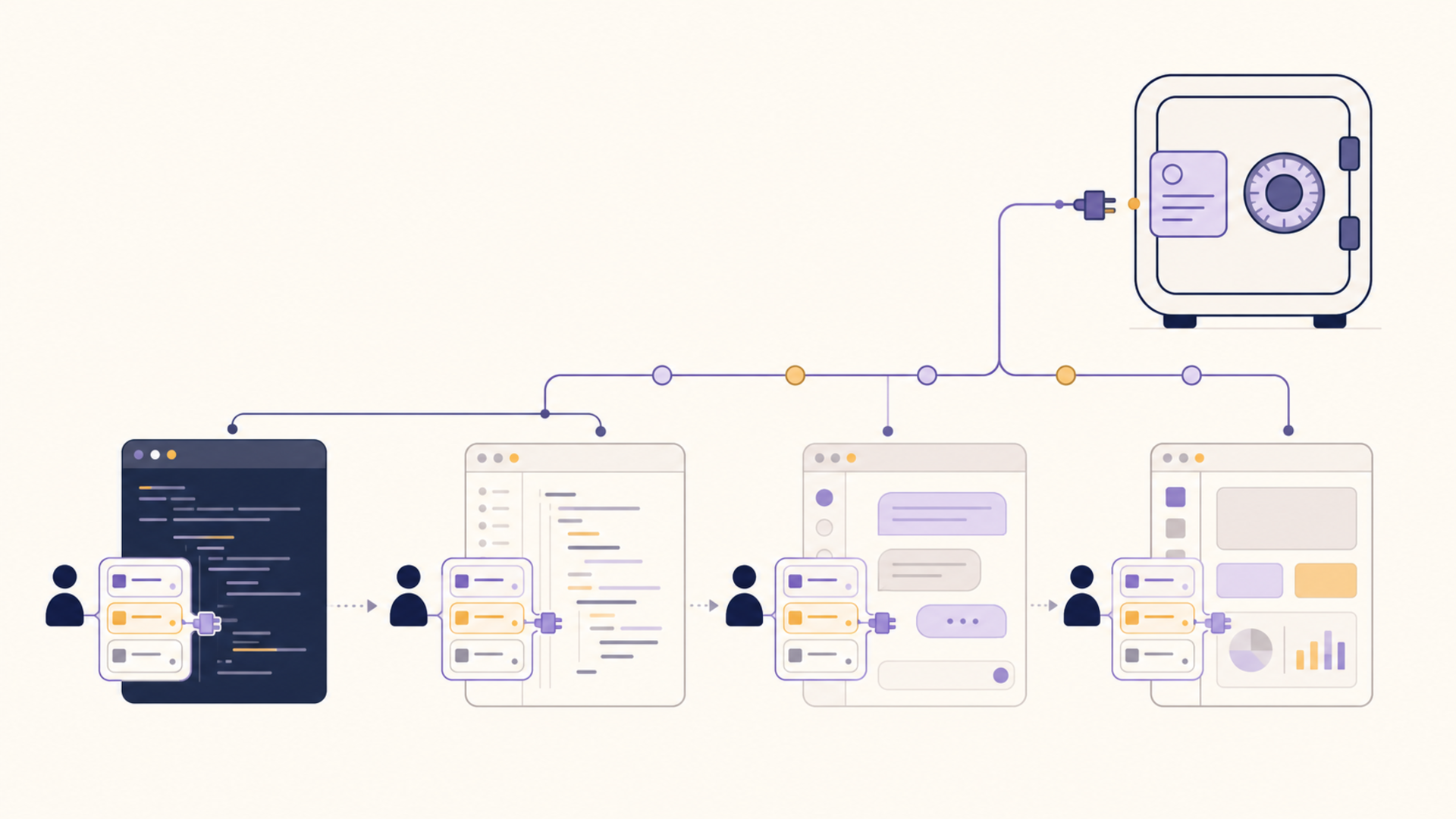
For that to work across the tools a developer actually uses, the memory cannot live inside any one of them. It has to be a layer they all draw from. This is the practical case for an MCP-compatible vault: a shared context store that multiple clients can read from and write to, so the institutional knowledge accumulates in one owned place and is reused everywhere, instead of being re-taught to each tool in isolation. Memory that learns is only useful if the learning is portable.
Where 1AiVault Fits
1AiVault is built around the assumption that the memory problem is a portability problem. It is a private, local-first context vault: you capture and import conversations and notes, organize them into reusable context, and pull that context into whatever AI tool you are using, without first handing your personal data to a cloud model. Because it is local-first, the history you accumulate is yours to keep, back up, and move.
It maps onto the five situations directly. Capture and export address the conversation-as-trapped-asset problem. An owned, account-independent store is what makes migration survivable. Reusable preferences get written once and applied across clients. Curated records keep precise context from decaying inside a single oversized thread. And MCP compatibility lets the same vault act as a shared memory layer across coding tools rather than one more silo.
| Scenario | Trapped in one provider | With a portable vault |
|---|---|---|
| Long chat you want to keep | History locked to the vendor's UI | Captured, outlined, and exported to a format you own |
| Personal-to-company account move | Context bound to the old account | Memory is account-independent and travels with you |
| Restating goals every session | Preferences die with each thread | Preferences written once, applied across clients |
| Detail-heavy ongoing conversation | Early specifics decay in a growing thread | Durable facts curated as records, reintroduced on demand |
| Cross-tool developer memory | Each tool re-taught in isolation | One MCP-compatible layer shared by every client |
The Takeaway
The through-line in all five situations is that people are not really asking their AI to remember more. They are asking to own what it remembers. A conversation you cannot export, a history pinned to an account you are about to leave, a preference that does not survive a tool switch, and context that decays inside a single thread are all the same failure: memory that belongs to the provider instead of to you.
Durable AI memory has to be exportable, account-independent, and continuous across tools. Treat your context as something you keep and move, not something you rent inside one vendor's mega-thread, and the memory problem starts looking a lot more solvable.