Model and Cost Controls Belong in Your AI IDE's Defaults, Not Buried in Settings
Sensible defaults for tier-by-task, session ceilings, and visible cost meters turn AI tools from runaway-spend risks into predictable line items.
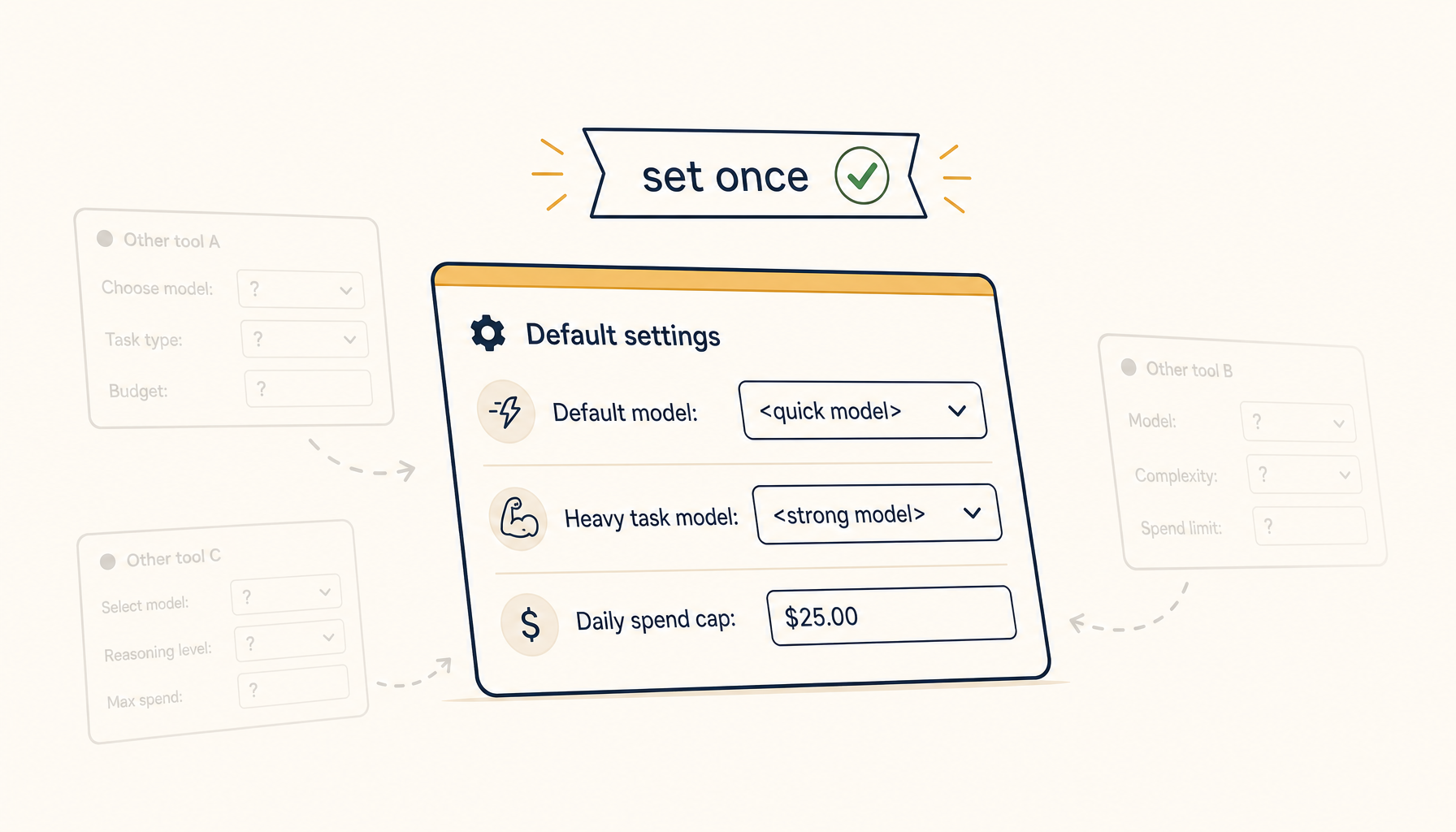
Most AI coding tools default to "use the best model for everything." Then you watch your monthly bill triple in a quarter.
The fix is not "switch to a cheaper model." The fix is making model and budget choices a workflow default, set once and applied everywhere — instead of a question the user has to answer every time.
What goes wrong with no defaults
Three failure modes:
Casual queries on flagship models. You ask "is this regex right?" and the tool fires the most expensive model in your roster. The answer arrives in 8 seconds. The cost was $0.04. You make 200 such queries that month. That's $8 you didn't notice and didn't need to spend.
No ceiling per session. A long agent run hits a recursive loop, makes 60 tool calls, generates 40K tokens of reasoning. You don't notice until the bill arrives. There was no upper bound, so the model burned through it.
No batch awareness. A code review tool processes 200 files in parallel, all at the flagship tier, when 90% of them needed only a smaller model.
In each case, the user wanted cost control. They just had no way to express it ahead of time.
The four guardrails worth wiring up
1. Tier defaults by query class
Map common query types to model tiers, baked into the tool's defaults:
| Query class | Default tier |
|---|---|
| Inline autocomplete | smallest fast model |
| One-line refactor | small/medium |
| Question about a single file | medium |
| Multi-file analysis | medium/large |
| Multi-step agent task | flagship |
| Architecture / design review | flagship |
Users can override per-query, but the default is "right-sized for the task." This alone removes 60-70% of unnecessary spend.
2. Per-session token ceiling
Every agent session should have a hard token budget — say, 50K tokens default for a coding agent.
When the budget hits 80%, the agent stops, summarises what it's done, and asks the user whether to continue. When the budget hits 100%, the agent stops with a clear "session limit reached" message.
This catches loops and runaway tasks before they become invoice events.
3. Daily / weekly spend caps
A separate envelope: "you spend $50/week on AI tooling, ceiling is $75."
When you hit 80% of the cap, show a passive notification ("you've used 80% of this week's AI budget"). When you hit 100%, downgrade the default tier (no flagship model unless explicitly opted in).
This isn't blocking — the user can override. But it surfaces the choice instead of hiding it behind silent inference calls.
4. Batch-mode discounts
For batch operations (review 200 files, embed 1000 docs), the tool should:
- Show estimated cost before kicking off.
- Default to a smaller model unless the user explicitly opts up.
- Stream cost updates as the batch progresses.
Most batch jobs don't need the flagship. Most users would happily pay 1/10 the cost for a 10x cheaper model on tasks where the answers are 95% as good.
Implementation patterns that actually ship
Two-knob settings, not twelve
Don't expose every parameter. Expose two:
- Speed/quality preference: "fast & cheap" / "balanced" / "best quality"
- Per-session ceiling: 25K / 50K / 100K tokens, or "unlimited"
The first knob picks tier defaults. The second picks the session budget. Twelve knobs scare users into leaving everything default — which is the bug.
Visible cost meter
A small running total in the UI: "this session: $0.07 · 4,200 tokens · medium model."
Visible cost is self-regulating cost. Most developers will instinctively scope their next prompt smaller when they see a number ticking up.
Per-task cost estimates before kicking off
Before a multi-file refactor, the tool should display:
Estimated cost: $0.18 · 12,000 tokens · medium model · 8 file edits [Run] [Run with smaller model] [Cancel]
The estimate doesn't have to be exact — even 2x error is fine. What matters is that the user sees a number before committing.
Soft caps, not hard caps, by default
A hard cap that blocks legitimate work makes users disable budgets entirely. A soft cap that asks preserves the same behavior but keeps the user opted in.
"You've used $50 of your $75 weekly budget. Continue this query? [Yes] [Use smaller model] [Cancel]"
What good defaults look like for an AI coding IDE
Putting it together — sensible defaults a tool should ship with:
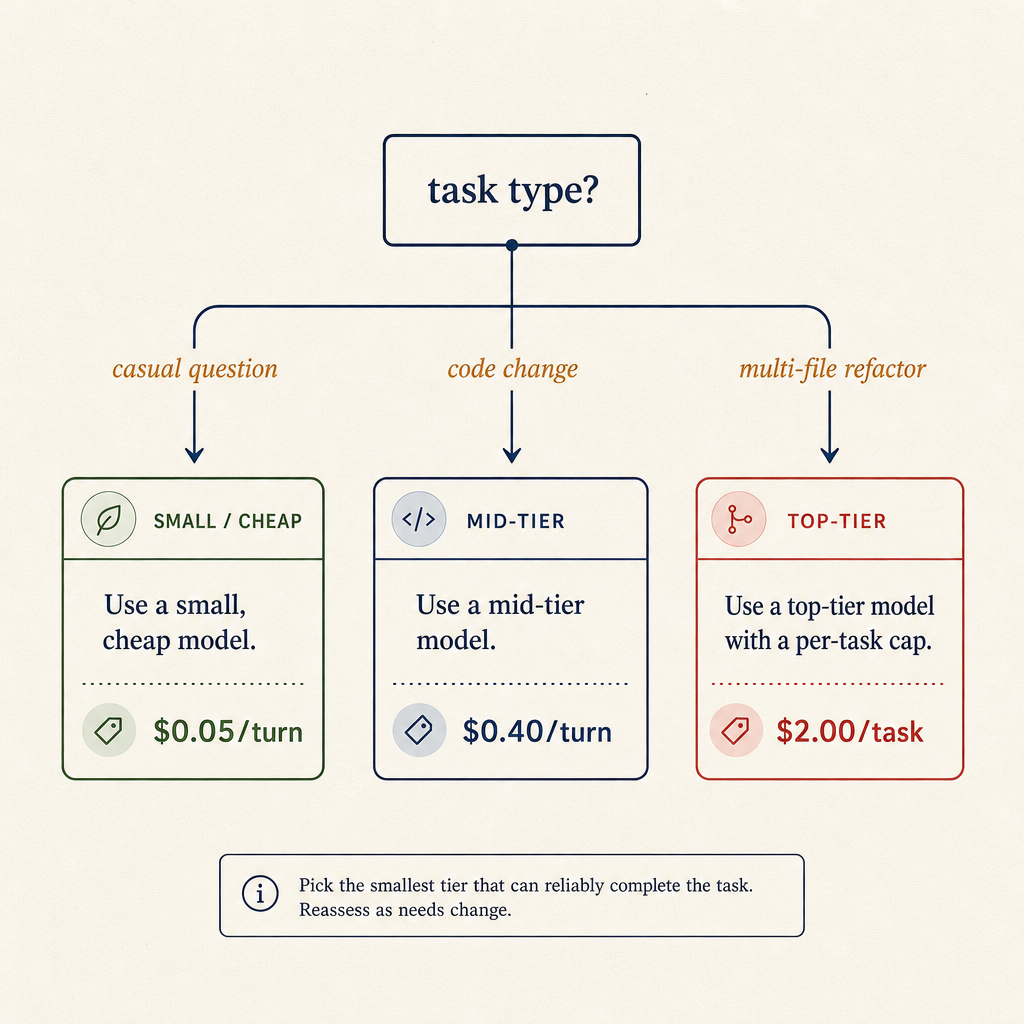
The decision tree most teams use mentally — turned into a static config so you don't relitigate it every prompt.
- Inline autocomplete: smallest fast model, no per-query confirmation.
- One-shot question: medium model, no confirmation.
- Multi-file refactor / agent task: medium model by default, prompt user before upgrading to flagship if estimated cost > $0.50.
- Session ceiling: 50K tokens. Warn at 40K, stop and ask at 50K.
- Daily spend ceiling: $5 default for hobbyists, $25 for pro users. Warn at 80%, downgrade default tier at 100%.
- Visible cost meter: always on, hover for details.
These numbers will be wrong for some users — but they're far better than no defaults, which is what most tools ship with today.
The buyer's lesson
If you're choosing an AI coding tool today, ask:
- Where do I see the running cost of this session?
- Can I cap a session at N tokens or $X?
- Do I get to pick the model per task class, not per query?
- Is there a default that's not the flagship?
Tools that can answer "yes, here, here, and here" save real money. Tools that hide cost behind a "premium" tier or only surface monthly spend in a billing portal will quietly burn your budget — even when you intended otherwise.
Cost control isn't a luxury feature. It's table stakes once your AI tooling spend crosses double digits a month. The tools that will win the long game are the ones that make budget-aware behavior the default, not an opt-in.
Related in the StoicSoft network
If you work in AI-assisted coding, shared terminal sessions, or agent-driven shell workflows like the ones above, 1devtool is the StoicSoft network's tool for safer AI-assisted terminal work — shared sessions with auditing, preflight policy, and tiered model routing built in.
If you regularly stitch together PDF, image, video, or batch-file workflows like the ones above, 1FileTool is the StoicSoft network's purpose-built desktop app — 245+ local-first tools, pay-once, files never leave the device.