Hard Spend Caps Are the Missing Safety Rail for Long AI Agent Sessions
Usage dashboards explain the bill after the damage is done. Long-running AI agent workflows need hard stop budgets before they start.
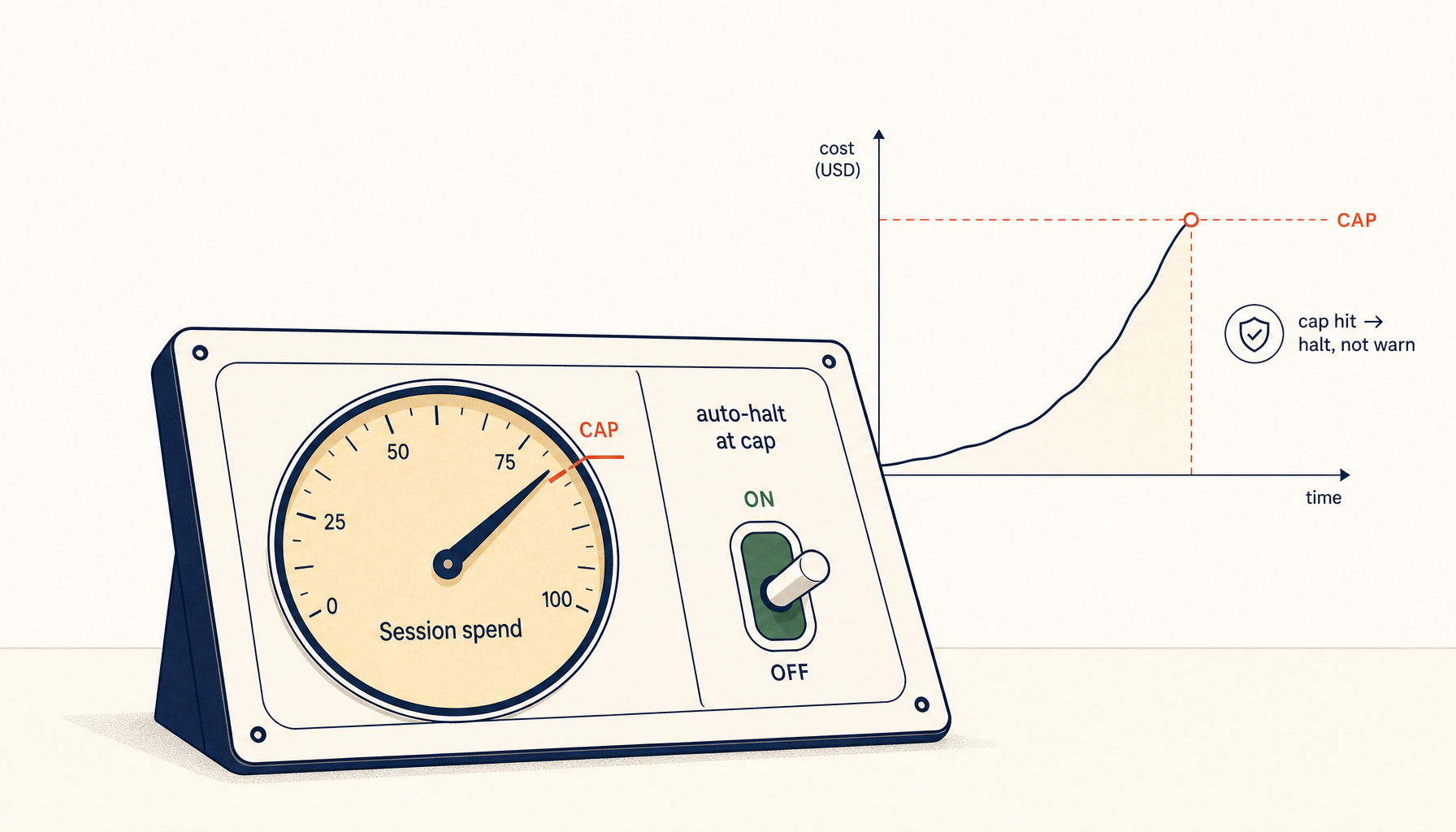
Most AI coding cost controls are postmortem tools.
You get a usage chart. Maybe a daily total. Maybe an email after the invoice lands. That is helpful for accounting. It is not helpful for containment.
Long agent sessions create a different risk profile from chat-style usage. Once an agent can read files, run tools, retry steps, and switch models over several minutes, the cost problem is no longer visibility. It is authority.
If the agent is allowed to keep spending while you are not watching, you do not have a dashboard problem. You have a missing hard-stop problem.
That is why hard spend caps are the control that matters most for autonomous or semi-autonomous coding sessions.
Why long agent sessions create runaway cost risk
The expensive sessions are rarely malicious and rarely dramatic. They usually look ordinary until they are not.
Common patterns:
- The agent retries a failing step several times with slightly different prompts.
- A model escalation happens automatically because the tool thinks the task is complex.
- The executor starts reading more files than expected because scope was weak.
- A verification step runs a much larger test surface than intended.
- The user steps away and the session keeps going.
None of these look catastrophic in the moment. Together they produce the classic surprise bill.
The reason dashboards do not solve this is simple: dashboards describe spend that already happened. A hard cap controls spend that is still possible.
The difference between alerts and caps
A warning at 80 percent usage is useful. It is not a cap.
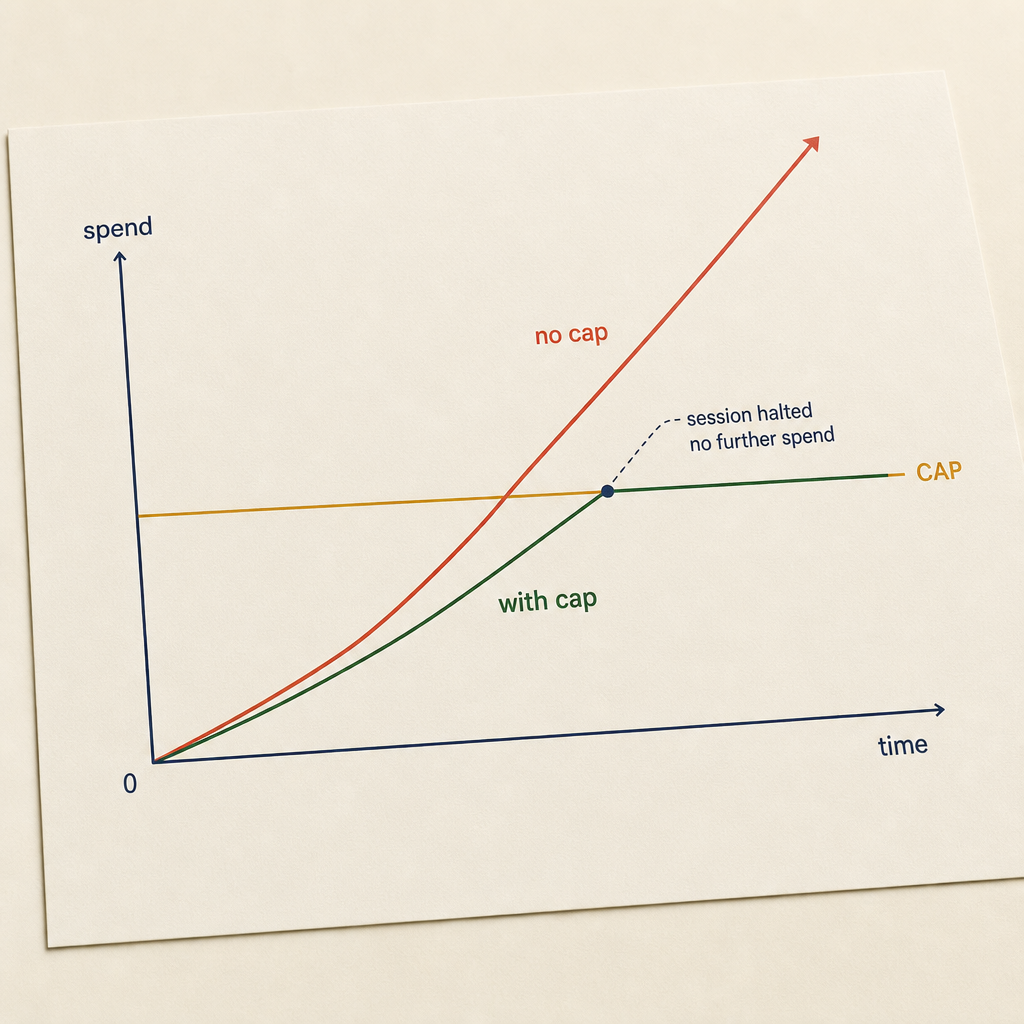
Alerts are postmortem. Caps are containment. Same data, different intervention point.
A cap means the system is unable to exceed a defined budget without a fresh approval step.
That approval step can take several forms:
- Stop completely.
- Ask the user to confirm additional budget.
- Downgrade to a cheaper model and continue.
- Pause until the next billing window.
The key property is enforcement. If the session can continue spending while the user is away, it is not a cap. It is a notification system.
The four budget boundaries that actually work
1. Per-run budget
Every autonomous run should start with a declared budget envelope.
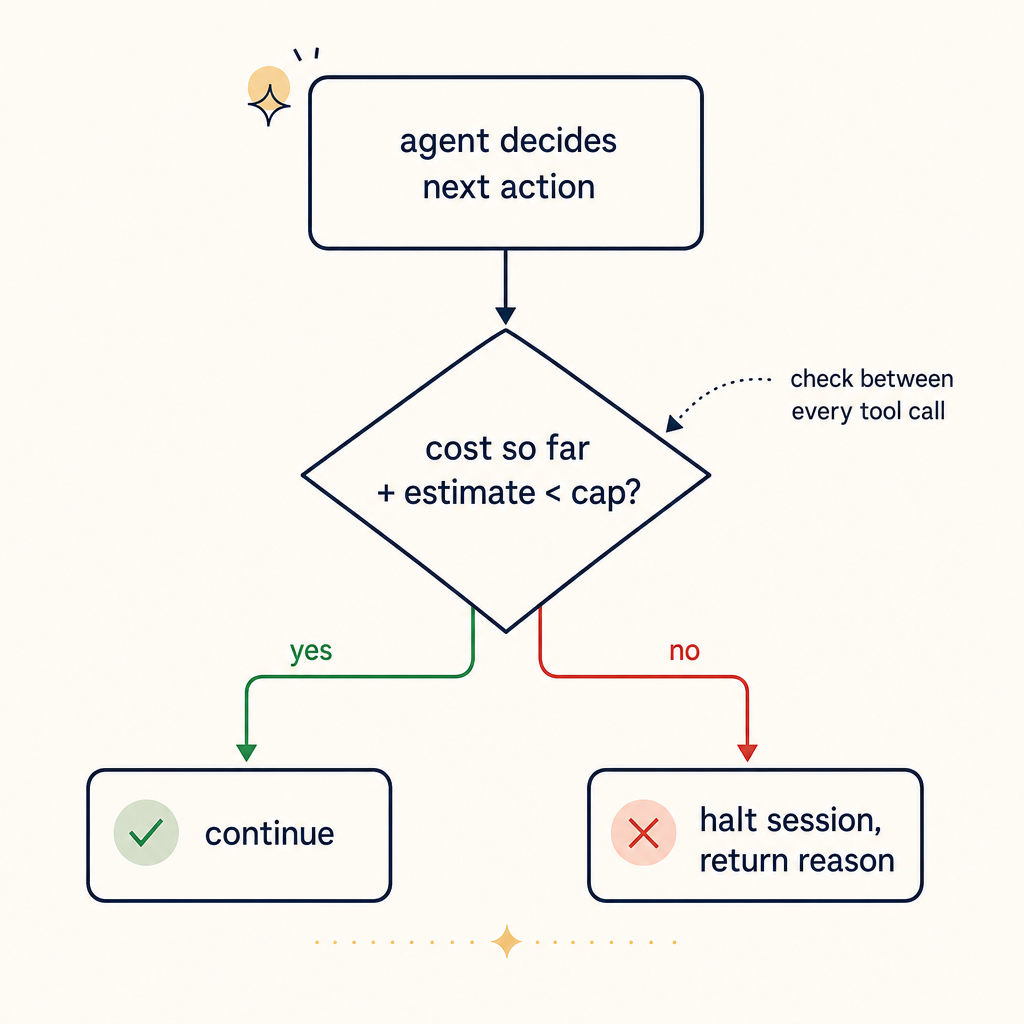
The check runs between every tool call, not at the end of a session. By the time a session has ended, you've already paid.
Examples:
- This run may spend up to 0.75 dollars.
- This run may use up to 60K tokens.
- This run may execute up to 20 tool actions.
Pick one primary budget unit and show the conversions where possible. Dollars are easiest for humans. Tokens are easier for model vendors. Tool actions are useful when tools themselves create cost or latency.
The important part is that the limit is attached to the run, not just the day.
2. Approval threshold for escalation
The tool should not silently upgrade from a cheap model to an expensive one inside the same budget envelope.
If a run starts on a cheaper model and wants to escalate, require approval:
- This task is likely to exceed the current budget on the selected model. Switch to a higher-cost model and increase max spend from 0.75 dollars to 2.50 dollars?
That one confirmation step prevents a large class of accidental overspend.
3. Idle-user stop condition
If the agent is still running and the user has been inactive for a defined window, the session should pause before spending more.
Good defaults:
- Pause after 5 to 10 minutes without user input.
- Require approval for any new batch of tool calls after idle timeout.
- Do not resume automatically after the browser regains focus.
Autonomous execution is useful. Unattended autonomous execution is where budget accidents happen.
4. Timeboxed verification budget
Verification is where many runs quietly double their cost.
The agent finishes the change, then decides to run the full test suite, then maybe lints the repo, then maybe inspects unrelated failures. That is often more expensive than the implementation itself.
The fix is to give verification its own ceiling:
- Implementation budget: 0.60 dollars.
- Verification budget: 0.40 dollars.
Separate budgets force better choices. The agent has to decide whether the next command is genuinely worth the remaining allowance.
What product teams should expose in the UI
The right controls are not hidden under billing settings. They belong in the workflow itself.
Before the session starts, the UI should show:
- Selected model
- Maximum spend for the run
- What happens at the limit
- Whether model escalation is allowed
- Whether unattended execution is allowed
During the run, the UI should show:
- Current spend
- Remaining budget
- Most expensive action so far
- Whether the session is inside implementation or verification budget
After the run, the log should show:
- Final spend
- Budget requested
- Budget consumed
- Any approval prompts triggered
- Whether the session hit a hard stop
This is not overkill. It is the minimum surface area required to build trust.
A practical default policy
If you are building or configuring an AI coding workflow today, start with this:
Individual developer default
- Per-run budget: 0.50 to 1.50 dollars
- Hard stop at cap
- No automatic model escalation
- Pause after 10 minutes of inactivity
- Verification budget no more than 40 percent of total run budget
Team default
- Per-run budget: 1 to 5 dollars depending on repo size and model mix
- Approval required to exceed cap
- Model escalation allowed only with confirmation
- Run log retained for 30 days
- Weekly review of the top 10 most expensive sessions
High-sensitivity repos
- Lower caps
- No unattended execution
- No auto-escalation between model tiers
- Restricted tool access on expensive operations
These are boring policies. Boring is exactly what cost control should be.
Why trust the user is not enough
Some product teams assume users can manage this themselves by watching the meter. That is optimistic.
Developers do not sit there staring at a cost badge while debugging. If the tool is working, they are reading diffs, checking logs, or thinking about the next step. The whole point of the tool is to reduce supervision load.
If effective budget control depends on continuous human vigilance, it will fail in practice.
Good systems assume attention is intermittent and still keep the user safe.
Hard caps are not anti-agent
There is a predictable objection here: hard caps interrupt useful work.
Sometimes they do. That is the point.
A hard cap should interrupt the session before cost drift becomes invisible. If the task is worth more budget, the user can approve more budget. That moment of friction is not failure. It is governance.
The same logic already exists in cloud infrastructure:
- You cap spend on prepaid accounts.
- You require approvals for large capacity increases.
- You set rate limits even when the system could technically go faster.
AI coding workflows are operational systems now. They deserve the same discipline.
The metric that matters
Do not just measure average spend. Measure how often a session exceeds its initial budget envelope.
That number tells you whether:
- your defaults are wrong,
- your planner is overscoping work,
- your verification is too broad,
- or your model-routing logic keeps escalating unnecessarily.
Teams that only track total spend miss the mechanism. Teams that track budget breaches learn where the workflow is leaking.
Closing principle
Usage dashboards are retrospective. Hard spend caps are preventive.
If your AI coding tool can burn meaningful budget while the user is not actively deciding to spend it, the workflow is incomplete. Put the budget boundary at the start of the run, make escalation explicit, separate implementation from verification spend, and stop pretending that visibility is the same thing as control.
For long agent sessions, it is not.
Related in the StoicSoft network
If you work in AI-assisted coding, shared terminal sessions, or agent-driven shell workflows like the ones above, 1devtool is the StoicSoft network's tool for safer AI-assisted terminal work — shared sessions with auditing, preflight policy, and tiered model routing built in.
If you regularly stitch together PDF, image, video, or batch-file workflows like the ones above, 1FileTool is the StoicSoft network's purpose-built desktop app — 245+ local-first tools, pay-once, files never leave the device.