AI Memory and PKM Need Useful Context, Not Note Hoarding
AI memory is useful when it preserves decisions, preferences, and project context without forcing users into a heavy manual knowledge-base habit. The winning layer is local-first, portable, and light enough to keep current.
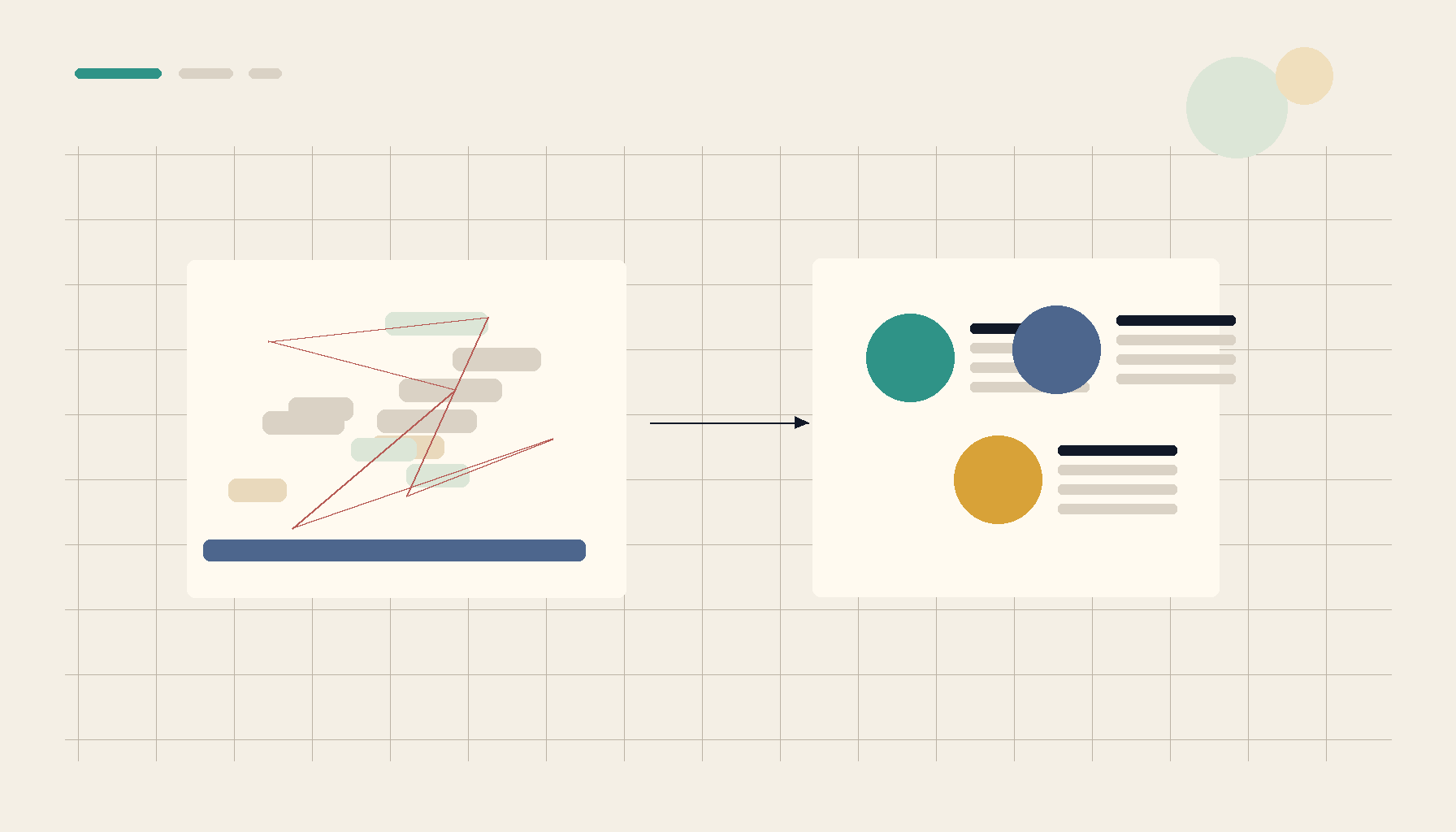
AI memory and personal knowledge management keep running into the same two failures. Context is either scattered across chats, notes, browser tabs, tickets, and documents, or it becomes so over-structured that maintaining the system becomes the work. Neither failure gives you the thing you actually wanted: useful context at the moment you need to make a decision.
That distinction matters. A knowledge base is not valuable because it contains a lot of notes. It is valuable when it helps you resume a project, explain a choice, recover an assumption, or give an AI assistant enough history to be useful without pasting the same background every time.
Recent discussions around Claude workflows, Obsidian cleanup, Notion database migration, self-hosted knowledge bases, and local work-context tools all point at the same demand. People want reusable memory without note hoarding, lock-in, or a second job maintaining metadata. The source signals for this post include thread 1, thread 2, thread 3, thread 4, thread 5.
Scattered Context Is Expensive
The obvious cost of scattered context is repetition. You open a new AI chat and re-explain the project. You switch models and paste the same constraints again. You return to a codebase after two weeks and reconstruct why a decision was made from commit messages, old chat exports, and half-finished notes. Every tool has a piece of the story, but no tool has enough of it.
The hidden cost is lower trust. When context is scattered, you cannot tell whether the assistant is working from the latest assumption. You cannot easily separate a current requirement from an abandoned idea. You may know that the answer exists somewhere, but retrieving it is slower than asking the question again. That is how teams end up with repeated debates, duplicate notes, and prompts that start with a paragraph of defensive caveats.
AI makes this worse and more visible. A human can often infer which old note is stale. A model will use whatever you paste or connect. If the memory layer is not curated enough, it becomes noisy. If it is too curated, people stop updating it.
Over-Structured Systems Collapse In A Different Way
The opposite failure looks more organized at first. Every note has properties. Every project has a database. Every decision has tags, backlinks, templates, and status fields. This can be useful for a small number of high-value workflows, but it breaks when the system asks for more maintenance than the work can justify.
That is why people with mature PKM setups still ask how to clean up their vaults, whether notes are turning into digital hoarding, and how to move database-heavy workflows into simpler local tools. Structure is only valuable when it makes retrieval easier. Once structure becomes a tax, users start bypassing it. They keep important context in chat, screenshots, scratch files, or memory because the official system is too heavy to touch.
Good AI memory should learn from this. The goal is not to turn every conversation into a perfect wiki page. The goal is to preserve the parts that help future work: decisions, preferences, project facts, reusable explanations, unresolved questions, and relationships between topics.
Useful Context Has A Different Shape
A useful memory layer should answer four practical questions.
First, what should be remembered? Not every message deserves permanent storage. A durable memory is usually a decision, a preference, a fact about a project, a recurring workflow, or a piece of context that would be annoying to restate.
Second, where did it come from? Provenance matters because AI context ages. A note from a planning chat, a GitHub issue, a document, and a manual user decision do not carry the same weight. The system should keep enough source information that you can audit why a memory exists.
Third, how does it connect to other context? Links are useful when they reflect meaning, not decoration. If one decision supersedes another, if a preference applies to a project, or if a topic blocks another topic, those relationships should be visible without requiring the user to maintain a graph by hand.
Fourth, how does it leave the system? Portability is part of trust. If memories only work inside one hosted product, users become cautious about adding their best context. Local-first storage, exportable text, and clear ownership make it easier to use memory without feeling trapped.

Local-First Is About Control, Not Nostalgia
Local-first tools are sometimes framed as a preference for people who dislike cloud software. That misses the practical reason they keep showing up in AI and PKM discussions. Memory contains sensitive material: strategy, private notes, client context, codebase details, personal writing, health details, internal decisions, and chat history. A memory system that asks users to centralize all of that in a remote account has to overcome a large trust hurdle.
Local-first storage changes the adoption question. Instead of asking whether a vendor should hold the user's entire context layer, the product can start with the user's machine and sync only when the user chooses. That does not remove the need for backups or cross-device access, but it gives the user a safer default.
It also makes AI tool switching more realistic. The best model for coding may not be the best model for research. A user may use Claude, ChatGPT, local models, IDE agents, and command-line tools in the same week. Memory should not be stranded in one chat product. It should be portable enough to follow the work.
What Better AI Memory Should Do
A better memory workflow starts with capture that does not interrupt the work. When a user says a decision matters, the system should save it. When a conversation produces a reusable explanation, the system should make it easy to promote that explanation into memory. When a project accumulates repeated facts, the system should surface them without requiring the user to manually rebuild a project brief.
Then it should classify lightly. The system can group memories by project, topic, source, and type without making every item depend on a perfect tag. It can detect duplicates and related entries. It can show when context appears stale. It can help the user turn scattered notes into a compact brief for the next AI session.
Finally, it should preserve agency. Users need to inspect, edit, reject, archive, and export memories. AI can suggest structure, but the user's memory should not become an opaque vector store that cannot explain itself.
Where 1AIVault Fits
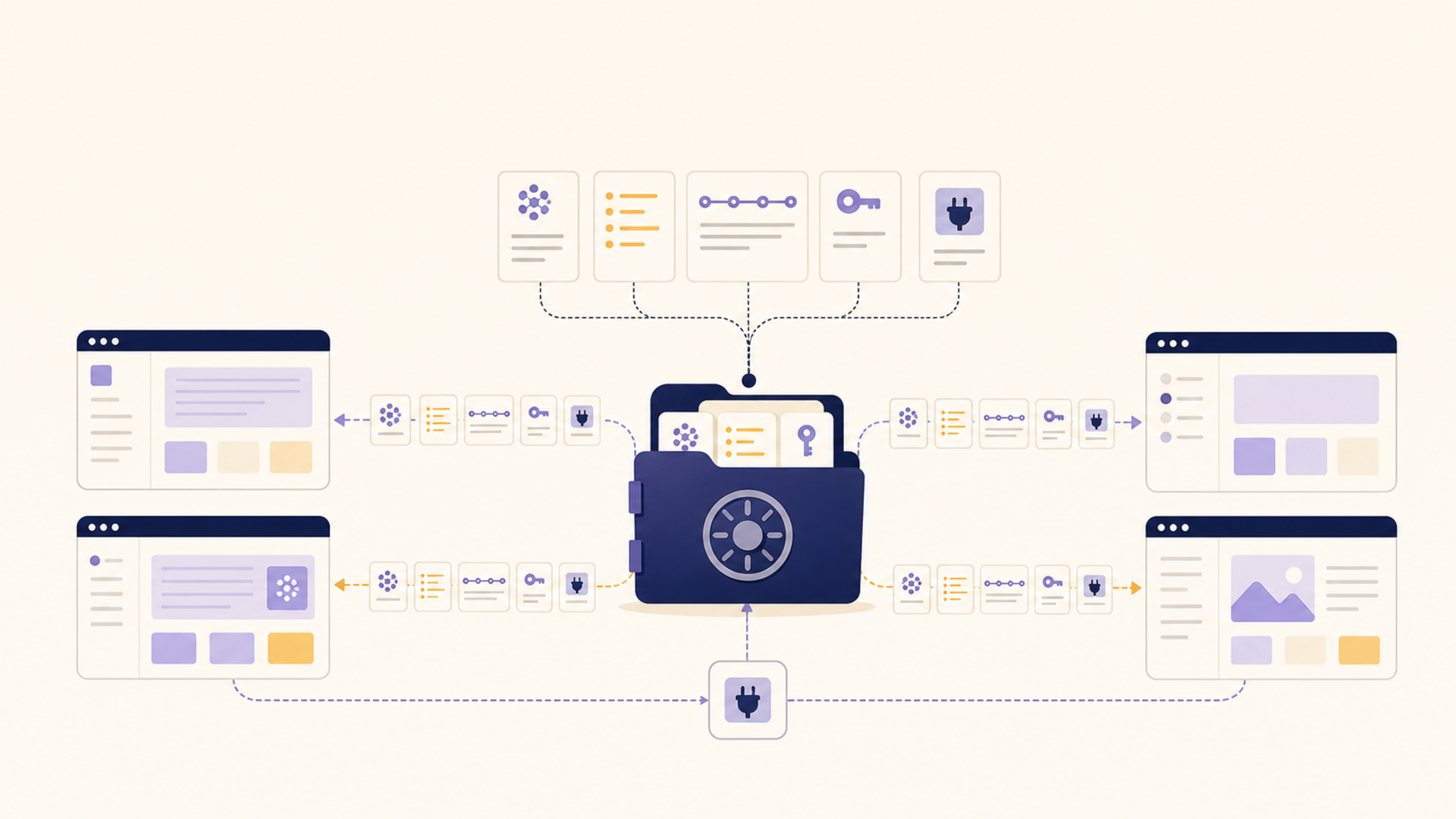
1AIVault is aimed at this middle ground: more useful than scattered chat history, less burdensome than a manual PKM system that expects constant grooming. The product direction is clear from the pain people are describing. Save important context when it appears. Keep it local-first. Make it portable across tools. Show relationships without forcing users to become knowledge-base librarians.
That approach is especially useful for people who work across many AI surfaces. A developer may want project conventions available to a coding agent. A writer may want recurring style preferences available to a drafting assistant. A consultant may want client context separated by workspace. A researcher may want sources, summaries, and decisions connected without turning every note into a database record.
Before And After
| Workflow | Scattered chats and notes | Useful AI memory |
|---|---|---|
| Starting a new AI session | Paste background from old chats | Pull a compact project brief from saved context |
| Remembering decisions | Search notes, commits, and chat exports | Review saved decisions with source provenance |
| Managing a PKM vault | Maintain tags, templates, and databases manually | Let AI suggest groups while the user controls what persists |
| Switching AI tools | Lose context in each product | Reuse portable context across tools |
| Cleaning up old notes | Delete or reorganize by hand | Detect duplicates, stale context, and related memories |
The Takeaway
The future of AI memory is not a bigger note pile. It is a thinner, more trustworthy layer between the work you have already done and the next tool you ask for help. That layer needs enough structure to be useful, enough provenance to be trusted, and enough portability that users are willing to put real context into it.
When AI memory works, it does not ask you to become a full-time archivist. It helps you carry decisions, preferences, and project history forward without turning context into clutter.
From across the StoicSoft network
Hand-curated reads on the same topic from sister sites in the StoicSoft family.
 1AIVault5 min read
Local-first AI memory: why privacy, not features, is driving adoption
The cross-client memory tools getting traction on Hacker News share one feature: nothing leaves the device. Users picking these tools aren't optimizing for capability — they're optimizing for control.
Read on 1aivault.com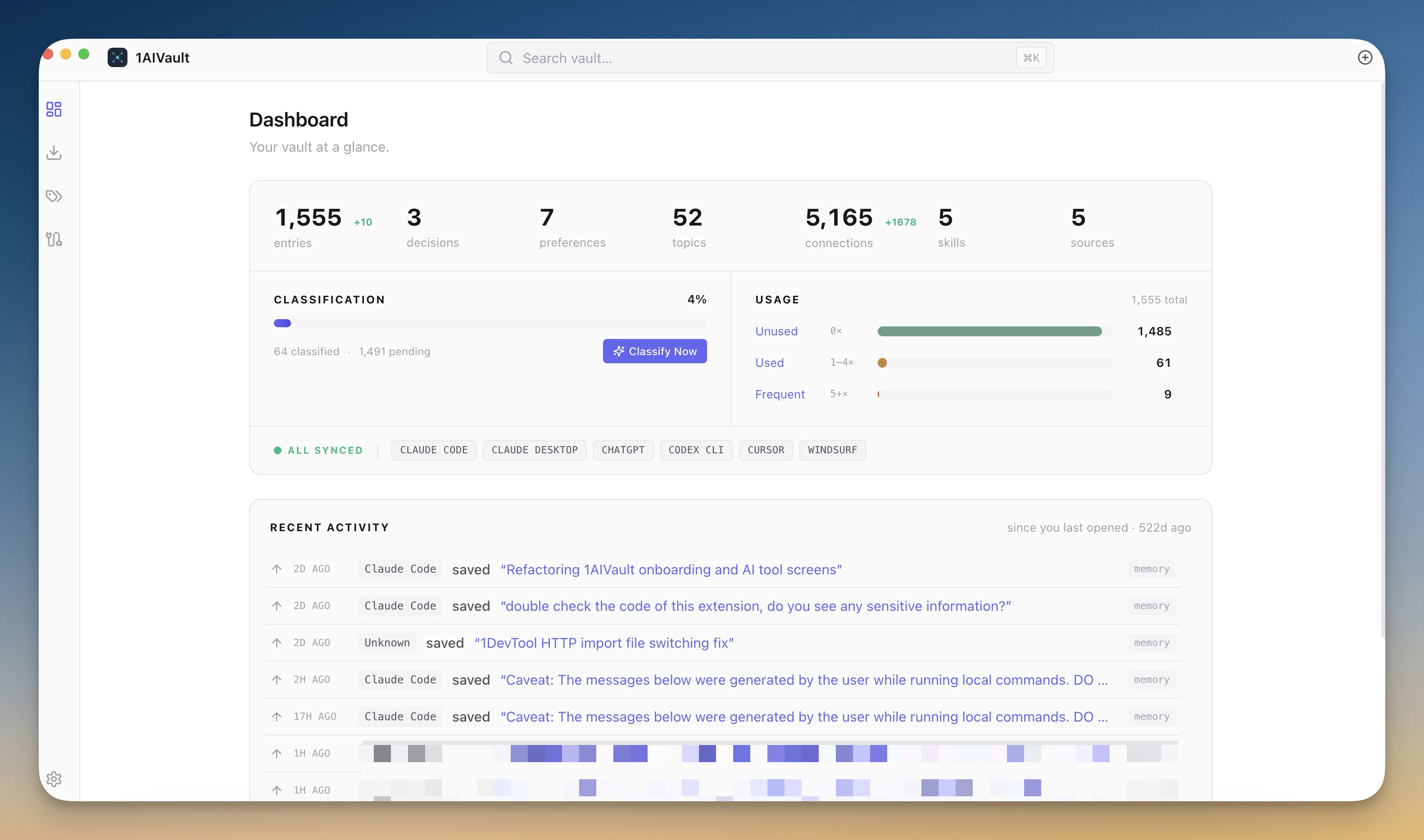 1AIVault6 min read
Stop rebuilding context every time you switch AI tools
Save context once and every AI tool — Claude Desktop, Claude Code, Cursor, Cline, Codex — can read it through a single MCP connection. 1AIVault v1.0.0 ships your portable, local-first AI memory vault.
Read on 1aivault.com 1AIVault5 min read
Your Old Notes Aren't Lost — They're Just Unsurfaced
Long-time Obsidian and PKM users keep admitting the same thing: the notes they took years ago are effectively gone. The problem was never capture. It's retrieval.
Read on 1aivault.com 1AIVault7 min read
Can you resume an AI conversation from last month? What dependable long-term context actually requires
Users keep asking the same question on Anthropic forums: "Can I pick up an old Claude chat like no time passed?" The answer is no — not without infrastructure that AI tools haven't built yet. Here's what dependable long-term memory would take.
Read on 1aivault.com