Why Your AI Coding Bill Tripled — and the Four Guardrails That Prevent It
Most AI cost spikes are detectable in advance — if you've configured the guardrails. Daily caps, session ceilings, visible meters, audit logs.
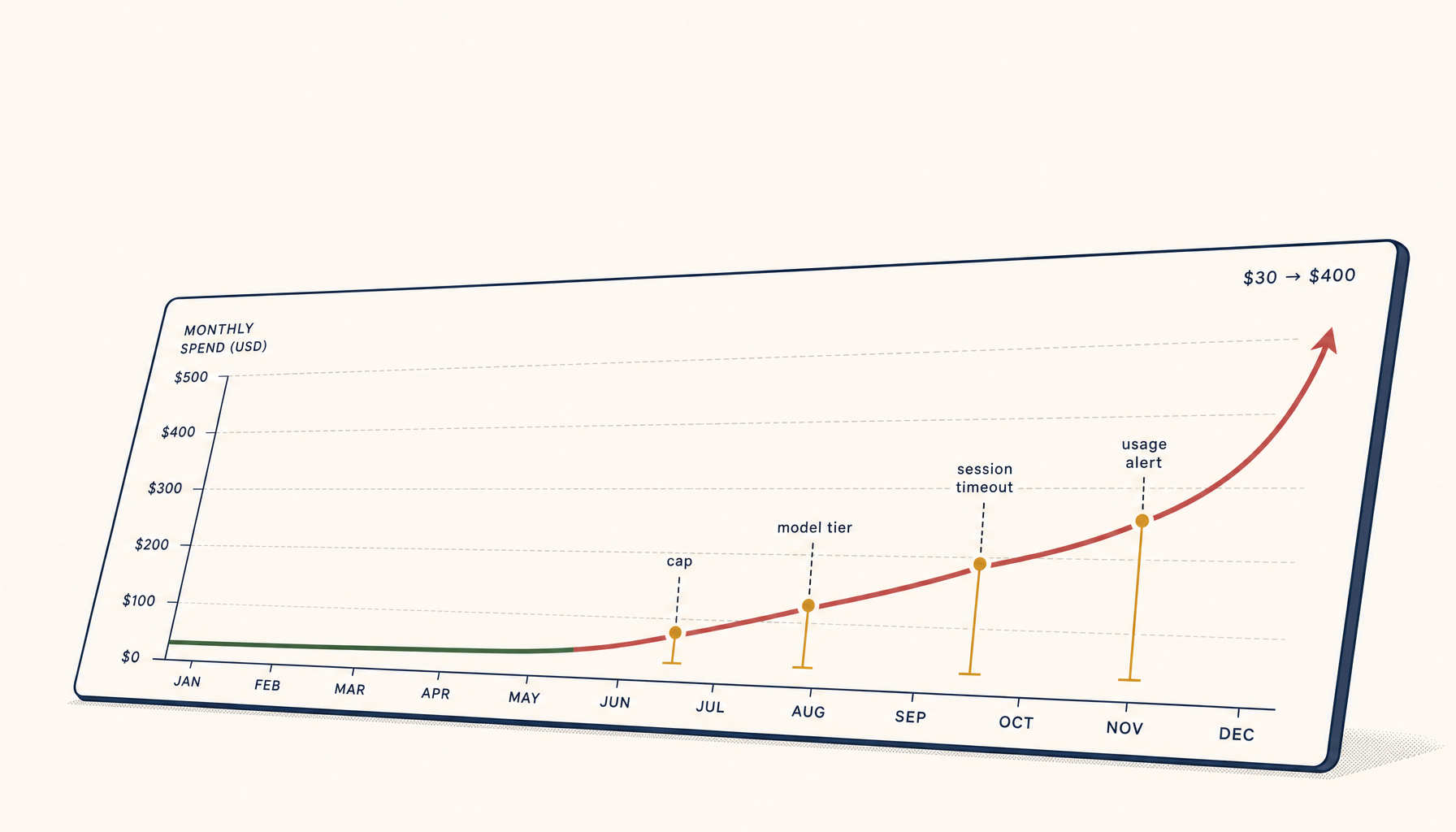
You set up Cursor, Claude Code, or another AI coding tool. The first month, your bill is $30. Reasonable. Three months later it's $400. You haven't changed how you work — but somewhere your usage tripled and you didn't notice.
This is the most common pattern in AI tooling spend, and it's almost entirely preventable. The failure isn't the tool. It's the absence of guardrails that should have caught the spike before you saw the invoice.
How spikes happen
The classic causes, in order of frequency:
- Long agent loops. A multi-step agent gets stuck retrying or expanding scope, burns 100K tokens before stopping.
- Background features you forgot. Inline autocomplete keeps firing on a flagship model while you're not even in the editor.
- Tool drift. A pre-commit hook or CI step starts using AI for something (commit messages, code review) and quietly multiplies request volume.
- A teammate or pair-programmer. A colleague pairs with you on your account; their session gets billed to you.
- Trial-tier escalation. A free trial ends, you don't notice, and you're now on the paid plan at full rate.
- Model upgrade. The default model gets bumped to a more expensive one in a tool update.
Each of these is detectable in advance. None of them are visible if you only check your bill once a month.
The four guardrails
1. Daily spend cap with notification at 80%
The single highest-leverage thing you can configure. Set a daily spending budget — say $5/day for hobby use, $25/day for serious work.
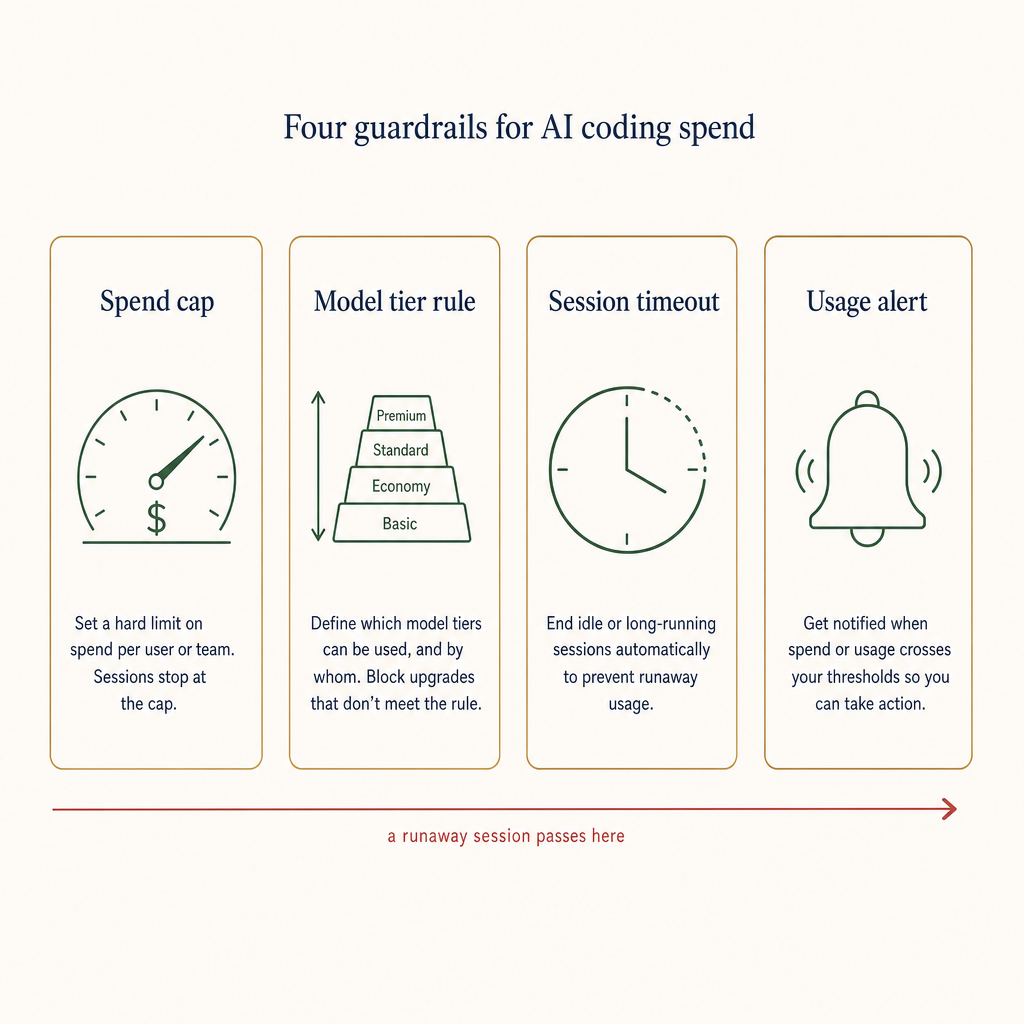
Four independent checks. Each one alone is bypassable; together they catch every common cost-spike pattern.
When the day's running total hits 80%, the tool sends you a notification:
"AI tool spend today: $4.10 of $5.00 cap (82%). Most expensive run: 'refactor user.ts', 12K tokens."
When you hit 100%, the tool either downgrades the default model (soft cap) or stops accepting new agent runs (hard cap). Most tools support at least one of these. If yours doesn't, set a Stripe budget alert at the API key level.
2. Per-session token ceiling
Per-session caps are about catching loops. A typical agent run should burn 5K-30K tokens. If a single run hits 100K, something is broken (looping, scope creep, stuck retry).
Configure your tool with:
- Soft cap at 50K tokens: log a warning, ask before continuing.
- Hard cap at 100K tokens: stop the run, let the user start a new one.
This prevents the worst-case "agent stuck overnight" scenarios that produce $50 single sessions.
3. Visible running cost
A tiny indicator in the corner of your editor:
"Today: $2.30 · This session: $0.18"
Visible cost is self-regulating cost. The mere act of seeing the number tick up causes most users to scope their next prompt smaller. The reverse is also true: an invisible meter feels free until invoice day.
4. Audit log
Every AI-tool request logged with: model, prompt size, response size, duration, cost. Even a CSV exported once a week is enough.
When you see a spike, you have something to look at. Without an audit log, the only signal is the bill.
Tool-specific recipes
Cursor
- Settings → AI → Cost limits: set a daily limit.
- Settings → AI → Privacy: enable "Show usage in status bar" — this is the visible meter.
- Composer & Agent settings: cap to "balanced" model for routine tasks; reserve "max" for the cases that actually need it.
- Periodically check Settings → Account → Usage for the breakdown.
Claude Code
- Use the API key with a separate spend cap on the Anthropic console (Settings → Limits → Daily token quota).
- Run
claude --versionin your terminal occasionally — version updates sometimes change the default model. - Use
/costmid-session to see this run's spend.
Copilot / Cursor / others
- For tools without first-party caps, gate the API key through a small proxy (one Cloudflare Worker, 30 lines) that rate-limits and logs.
- Or use the vendor's billing page to set a hard monthly cap. If they don't offer one, route through OpenRouter or a similar broker that does.
The audit you should run today
If you're already using AI tooling and don't have these guardrails, do this in 15 minutes:
- Open your AI tool's billing page. Look at the daily breakdown for the last 30 days. Find the highest day. Was that day genuinely 5x your normal work? If not, you had a spike.
- Set the daily cap to 1.5x your typical day's spend. Not your peak — your typical. Peak days will trigger the cap and prompt you to investigate.
- Set a per-session token ceiling to something between 50K and 100K. Most legitimate sessions are well below that.
- Find the visible-cost setting and turn it on. Most tools have it; most users never enable it.
- Subscribe to your AI vendor's release notes. Default model bumps are the easiest spike to miss.
When the bill is the only signal
If you're ten years into running developer tools, you'll recognise this pattern. The company that ran AWS for two years without a Trusted Advisor or Cost Explorer alert and got a $40K bill from a runaway Lambda. The Heroku account where dyno auto-scaling was on by default and nobody noticed for six weeks.
AI tooling is the new version of this. The same ten-year-old habits apply: budget alerts, visible meters, periodic audits, sensible defaults. You don't need bespoke tooling — you need the discipline to actually configure what's already there.
The good news: every major AI tool ships with at least some of the guardrails listed above. The bad news: none of them are on by default. Spend 15 minutes once, save yourself an unpleasant invoice forever.
Related in the StoicSoft network
If you work in AI-assisted coding, shared terminal sessions, or agent-driven shell workflows like the ones above, 1devtool is the StoicSoft network's tool for safer AI-assisted terminal work — shared sessions with auditing, preflight policy, and tiered model routing built in.